Rawhide
-
Posts
1,311 -
Joined
-
Last visited
Content Type
Profiles
Forums
Events
Blogs
Gallery
Store
Everything posted by Rawhide
-
I dye the edge first with the appropriate color, using felt and a clothespin. Let that dry and then buff of the dyestuffs with a dry cloth. Next wet the edge with a little water and then slick with a piece of CORDURA material. This material is absolutely fantastic for slicking edges!! Then I either rewet a bit or use beeswax and use either my bone folder or a cocobolo slicker with grooves in it. Marlon
-
He will be missed. I love to hear his views. Aside from making you laugh about it, he really made you think about it as well. R.I.P. George Marlon
-

Coloring!
Rawhide replied to rustynail's topic in Dyes, Antiques, Stains, Glues, Waxes, Finishes and Conditioners.
Depends on what look you're after. Sounds like you. want a solid color. If that's the case, take a piece of t-shirt or other clean cotton material, about 4 to 5 cotton balls and wrap them with the t-shirt into a ball and gather the shirt at the top like you do a garbage bag. Place a rubber band around the gathered top to keep it together, load this pad up with the dye you want, then apply to leather in a circular motion. You may have to do several coats, but you'll get beautiful results. (Another Peter Main special) Marlon -
Sorry, I didn't mean to soak it by dunking it under. Bad choice of words. What I meant was that you can easily put too much oil on the project and thereby overload the fibers. Sorry for the confusion. Marlon
-
That's very nice Bruce. I too like the highlighter stains from Tandy. They seem to penetrate very evenly and manage to keep me from screwing up a good carving/stamping job. Marlon
-
Yes, burnishing is the act of heating the edge to fuse the fibers together for a smooth edge. It's also a term used in metalworking to give a highly polished surface. (P.S., no questions are dumb here. That's what the forum is for.) Marlon
-
This is true if you only use one or two applications, but when you use more than that or soak it with neatsfoot, it will darken the project significantly. I really don't have an answer of how to lighten it back up. Maybe some one like ClayB, or Johanna, CitizenKate, Bruce Johnson, or Yaklady will know. Marlon
-
thanks Tom. I used to have fairly choppy backgrounding, but ever since I switched to Barry King's backgrounders, I've been extremely pleased with the ease of backgrounding. Now if i can just get that bargrounding down.... Marlon
-
sorry for the late reply I've been out of town. Thanks for the compliment spider. sorry for the late reply I've been out of town. Thanks for the compliment spider.
-
that would be my suggestion too, as that is copyrighted material. Call LCSJ. Marlon
-
Hilly is right you can get that from tandy. I don't know the author, but I like the pictures that accompany the instructions. It's very clear. It's only about 6 bucks at tandy. Design...it's really not that hard. I just followed the instructions. As for the nipper, I used the Tandy one. The thing is when you punch the hole, the hole is so thin that 3/32 fits perfectly. 1/8 is only a hair wider so the 1/8 lace will either stretch the hole a little or it will compress a little to fit. either lace will do well with the tandy nipper. However, i did sharpen and polish it and that makes a world of difference when using it. Marlon
-
Thank you. and yes, maybe longer for this piece. Marlon
-
Thanks Kathy. Got that from "Tony Montana" aka Scarface. I just made the "T" into an "F". I think I like that insignia. I know it's not really original, but...Marlon Boy did it ever!!. It wasn't too bad. I laced about 6" to 10" per night, for about 4 nights, maybe five, I didn't really pay much attention.M Thanks LeatherNut!!
-
THanks everyone for your comments. It was a fun project to make. To answer the questions: The instructions for lacing are in the book below The dimensions are 13" x 9" and I did draw the pattern. I used Chan Geer's pattern drawing instructions to get the ideas. The lace is 3/32" wide and I used an 8 stitch per inch wheel spacer and punched each slit with a lacing nipper. Marlon
-
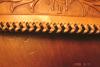
Here is the notebook I posted pictures of a couple of weeks ago. I finished it with several coats of neatsfoot oil, Sheridan RTC Resist (one coat), and Sheridan Brown Antique paste (one application). Comments and critiques always welcome. The first pic is of the entire notebook, and the second is of the lacing detail. Thanks, Marlon

-
That's an excellent price. How has your sharpening progressed? Any luck? Marlon
-
Brent, do they sell to the public, or do you need a tax ID? Marlon
-
Welcome to the forum. Very nice chap work. Posting pictures is pretty easy. Seems like you got it since you have some chaps posted. Here are the instructions anyway. Once you create a topic or add a reply, underneath the white text box is a box that says "attachments". Over to the far right of that box is a button that says "choose file", click this, navigate to your picture, (total pictures must be under 1MB to post), and the click the green "upload" button. once it uploads the "manage current attachments" tab (on the left) will have the number of attachments linked. If it says 0, then your file has not uploaded. If you have the files uploaded, the click "Add Reply" Marlon
-
please take a look at my saddle made in mexico
Rawhide replied to PENSKE's topic in Saddle & Tack Maker Gallery
That looks like the "crazy legs" tool that George Hurst did an article on in the LCSJ. That is an awesome saddle. Saddle makers are the best. Fine work!!
-
Wow. That is fantastic. Nice work Kathy. I'll have to give the goat a try. Marlon
-
I did not see your gun box, but I do thank you for your observation. Are there pictures here of the box? I would definitely like to see it. Marlon
-
What I'd do is line the side walls of the box sides first. Use 3M spray adhesive. Then place your foam padding down using spray adhesive here as well, then again on top of the foam and place the velvet on the foam (a little over sized) then you can tuck the oversize in between the side wall and the foam. Marlon
-
RTC is a resist formula created by Bee Natural products (same folks for Pro-Carve). Basically a block-out. Here's a picture of the label.

-
Thanks Ken, I hope to try your vest tutorial one day when I grow up. It's definitely looks like a lengthy process. Marlon
-
The dust is still available at hidecrafters. Marlon